
Rechargeable Fan Maintenance: A Complete Guide to Keeping It Running Longer
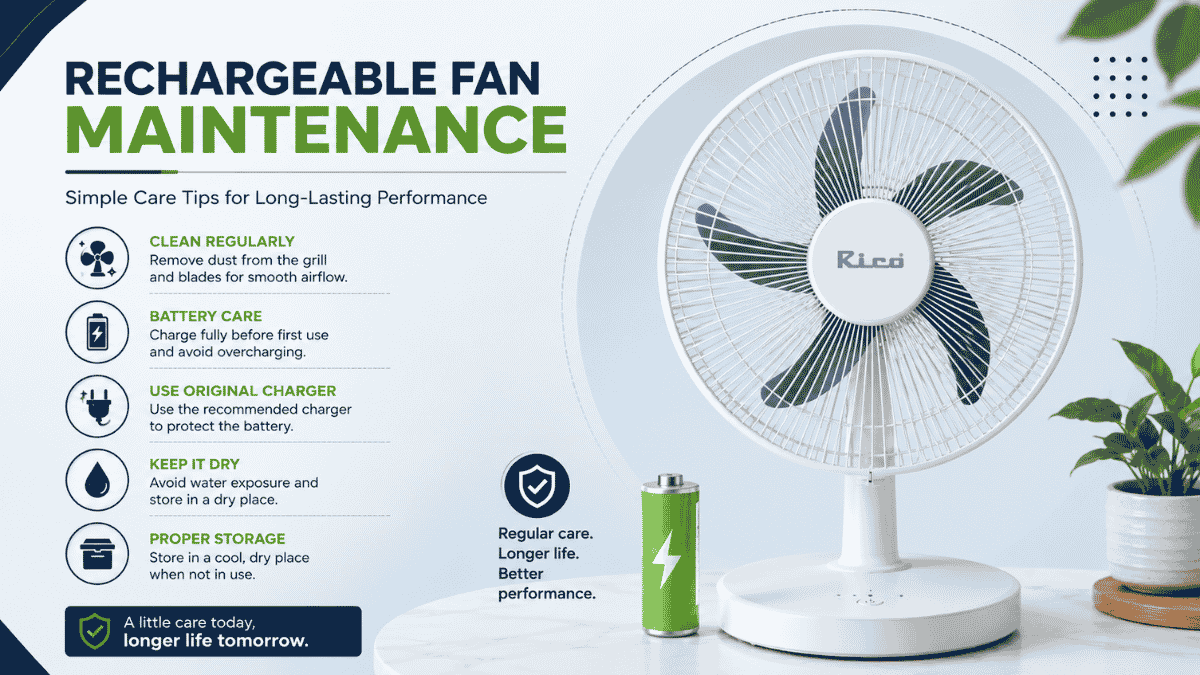
A rechargeable fan is often your first line of defence during a power cut. But without proper rechargeable fan maintenance, that reliability fades fast, leaving you with weak airflow or a battery that won't hold charge.
The good news is that rechargeable fan maintenance doesn't require special tools or technical skills. A few consistent habits, done daily, weekly, and monthly, can add years to your fan's life.
This guide walks through everything you need to know about rechargeable fan maintenance, from battery care to troubleshooting, along with safety tips and answers to common questions.
Why Rechargeable Fan Maintenance Matters
Unlike a regular plug-in fan, a rechargeable model depends on an internal battery, motor, and charging system working together. Neglecting any one of these parts affects the entire appliance's performance.
Dust buildup, poor charging habits, and skipped inspections quietly shorten your fan's lifespan. Therefore, consistent rechargeable fan maintenance isn't just about cleanliness. It directly protects your investment and ensures the fan works when you need it most, especially during outages.
Understanding Your Fan's Key Components
Before diving into maintenance steps, it helps to know what you're actually caring for. Your rechargeable fan typically includes:
-
A rechargeable battery, usually lithium-ion or lead-acid
-
A compact, energy-efficient motor
-
Blades that handle the actual airflow
-
A charging port and cable
-
Speed controls and, in some models, LED indicators
Knowing these components makes rechargeable fan maintenance far more intuitive, since you'll understand exactly what each cleaning or inspection step is protecting.
Daily Care Habits
Small daily habits prevent bigger problems down the line. These take barely a minute but form the foundation of good rechargeable fan maintenance.
-
Wipe the exterior with a soft, dry cloth after use, especially on dusty days.
-
Listen for unusual rattling, grinding, or humming sounds while it runs.
-
Store the fan in a clean, dry spot rather than directly on the floor.
Consistency matters more than intensity here. A quick daily wipe-down prevents dust from working its way into the motor over time.
Weekly Maintenance Tasks
Set aside about 10 minutes each week for a slightly deeper check. This step is central to effective rechargeable fan maintenance.
-
Clean the blades with a slightly damp cloth, even if they don't look visibly dirty.
-
Inspect the charging cable for fraying, exposed wires, or damage.
-
Clean the protective grill using a soft brush to remove trapped dust.
-
Test the battery by running the fan briefly to confirm it holds charge properly.
If you're managing multiple appliances at home, our guide on portable fans covers similar care considerations that apply to compact, battery-powered cooling devices.
Monthly Deep Cleaning
Once a month, your fan deserves a more thorough cleaning session. This deeper step catches issues that daily and weekly care might miss.
What you'll need:
-
A soft brush or old toothbrush
-
Microfiber cloths
-
Mild soap mixed with water
-
Cotton buds for tight spots
-
A dry towel
Step-by-step process:
1. Unplug the fan from charging and ensure it's fully powered off.
2. Remove the front grill if your model allows it, following the manual.
3. Wipe each blade individually with a damp, mildly soapy cloth.
4. Gently clean the motor housing exterior, avoiding any moisture near openings.
5. Use cotton swabs for vents, corners, and buttons.
6. Clean the base or stand, since it's often overlooked.
7. Let everything air dry completely, ideally for about 30 minutes, before reassembling.
Never spray water directly onto the fan. Always apply cleaning solution to your cloth first, then wipe. This single precaution protects the internal electronics significantly.
Battery Care: The Heart of Rechargeable Fan Maintenance
Your battery determines how reliable your fan is during power cuts, making this the most important part of rechargeable fan maintenance.
-
Charge before it fully drains. Repeatedly running the battery to zero shortens its lifespan over time.
-
Avoid overnight overcharging. Unplug the fan once it's fully charged, even though most modern models have protection circuits.
-
Use the original charger. Mismatched chargers can damage the battery or create safety risks.
-
Keep it at room temperature. Extreme heat or cold during charging degrades battery health faster.
-
Expect a realistic lifespan. Most batteries last 2 to 4 years with proper care, so gradually reduced charge capacity over time is normal.
If your household regularly relies on backup power appliances, it's worth understanding how similar devices behave under load. Our guide on using a mixer grinder on an inverter covers related power and battery considerations relevant during outages.
Troubleshooting Common Issues
Even with consistent care, occasional issues can arise. Here's how to handle the most common ones.
Fan won't turn on:
-
Check whether the battery is charged.
-
Ensure the power button is pressed fully.
-
Look for an engaged safety lock feature.
Weak airflow:
-
Clean dusty blades and vents thoroughly.
-
Check for any blockage near the air intake.
Strange noises:
-
Tighten any visibly loose screws.
-
Check for debris caught in the blades if you hear grinding sounds.
Battery not holding charge:
-
Review your charging habits for overcharging or full draining.
-
Consider battery replacement if the fan is older.
Wobbly or unstable base:
-
Tighten all screws and connections.
-
Ensure the fan sits on a level surface.
If noise is a recurring issue with any motor-driven appliance in your home, our guide on how to reduce the noise of a mixer grinder shares maintenance principles that apply broadly across household motors, not just kitchen appliances.
Safety Precautions During Maintenance

Rechargeable fan maintenance isn't just about performance. A few safety habits protect both you and your household.
-
Never use or clean the fan near water, showers, or pools.
-
Keep the fan away from small children and pets, since blades and cables pose risks.
-
Never cover air vents while the fan is running, as this causes overheating.
-
Replace damaged or frayed charging cables immediately.
-
Avoid opening the battery compartment unless you're qualified to do so.
-
Keep the fan away from curtains, papers, or anything that could get pulled into the blades.
These precautions matter just as much as cleaning routines, since neglecting them can turn a maintenance oversight into a genuine safety hazard.
Seasonal Storage Tips
When cooling season ends, proper storage extends your fan's working life significantly.
-
Clean the fan thoroughly before storing it.
-
Charge the battery to around 50% rather than storing it fully charged or completely drained.
-
Store it in a cool, dry place, covered to keep dust away.
-
Check on the battery every couple of months and top up the charge slightly if needed.
Following these steps ensures your fan is ready to perform reliably when the next season, or the next power cut, arrives.
Building a Simple Maintenance Schedule
Consistency is the real secret behind effective rechargeable fan maintenance. A simple routine works best.
-
Daily: Quick wipe-down and a listen for unusual sounds.
-
Weekly: Blade cleaning, cable inspection, and a quick battery test.
-
Monthly: Full deep clean, including motor housing and vents.
Writing this schedule down, or setting a phone reminder, helps turn these habits into routine rather than an occasional afterthought.
Extending Your Fan's Overall Lifespan
A few broader habits, beyond cleaning, also contribute to how long your fan lasts.
-
Avoid running the fan on the highest speed constantly, since this wears down the motor and battery faster.
-
Place the fan somewhere with good air circulation and minimal risk of being knocked around.
-
Weigh repair versus replacement carefully. A cracked housing or dead motor often isn't worth fixing, but battery or cable issues usually are.
Most well-maintained rechargeable fans last 3 to 5 years, and the effort put into regular care directly affects that lifespan. Interestingly, similar durability principles apply across other portable appliances too. Our comparison of heavyweight vs lightweight iron boxes explores how build quality and handling habits influence long-term appliance durability.
Rounding Out Your Home Appliance Care Routine
Good rechargeable fan maintenance fits naturally into a broader habit of appliance care across your home. If you're organising your household essentials more generally, our roundup of kitchen products covers other everyday appliances worth maintaining with the same level of care.
Similarly, if you're comparing power specifications across appliances, our breakdown of the difference between 550W and 750W mixer grinders explains how wattage affects performance and maintenance needs, a useful parallel when evaluating fan motors too.
Final Thoughts
Rechargeable fan maintenance really isn't complicated once broken down into simple habits. A quick daily wipe, a weekly inspection, and a monthly deep clean are all it takes to keep your fan running smoothly for years.
Your rechargeable fan is there for you during outages, heatwaves, and everyday use. A little consistent care goes a long way toward making sure it's ready whenever you need it.
Frequently Asked Questions
Q1. How often should I clean my rechargeable fan?
Aim for a quick daily wipe-down, a slightly deeper weekly check of the blades and cable, and a thorough monthly deep clean covering the motor housing and vents.
Q2. How long do rechargeable fan batteries typically last?
Most batteries last 2 to 4 years with proper care, including avoiding full drains and overcharging. Reduced charge capacity over time is a normal part of battery ageing.
Q3. Can I use any charger with my rechargeable fan?
It's best to stick with the original charger. Using a mismatched charger can damage the battery or create safety risks due to incorrect voltage.
Q4. Why is my rechargeable fan's airflow suddenly weaker?
This is usually caused by dust buildup on the blades or vents. A thorough cleaning often restores normal airflow quickly.
Q5. How should I store my rechargeable fan during the off-season?
Clean it thoroughly, charge the battery to around 50%, and store it in a cool, dry place. Avoid storing it fully charged or completely drained for long periods.